Trying to log in to Amazon Prime Video on your TV and getting stuck? Whether the code isn’t working, the page won’t load, or the app keeps looping — this is a common login issue, not user error. Follow the steps below properly and it’ll work.
How to Login to Prime Video on TV (Code Method)
Step 1: Step 1: Open Prime Video App on Your TV
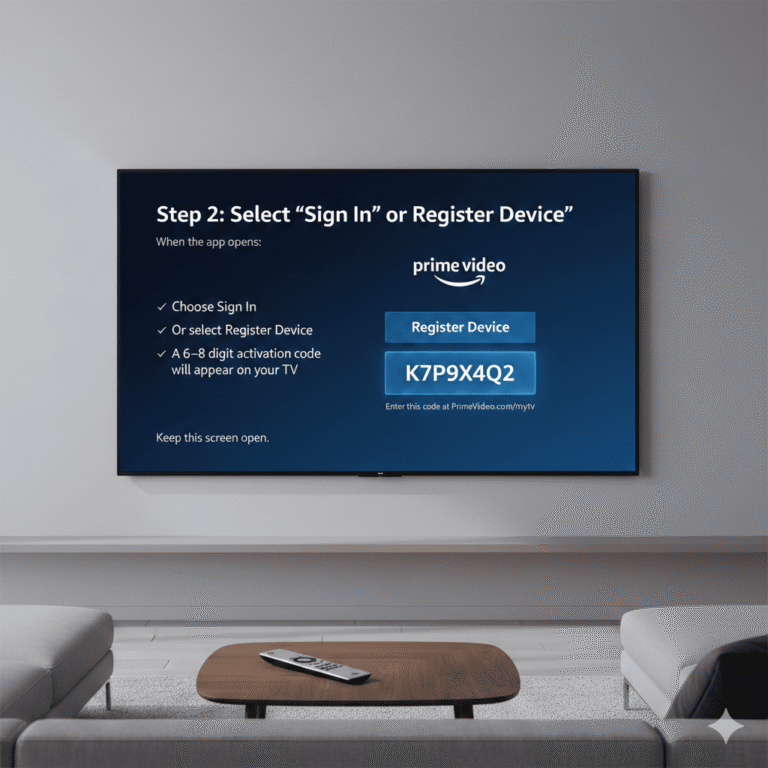
Launch the Prime Video app
Select “Sign In”
Choose “Register on the Amazon website”
A 5–6 digit code will appear on your TV
Do not exit this screen.
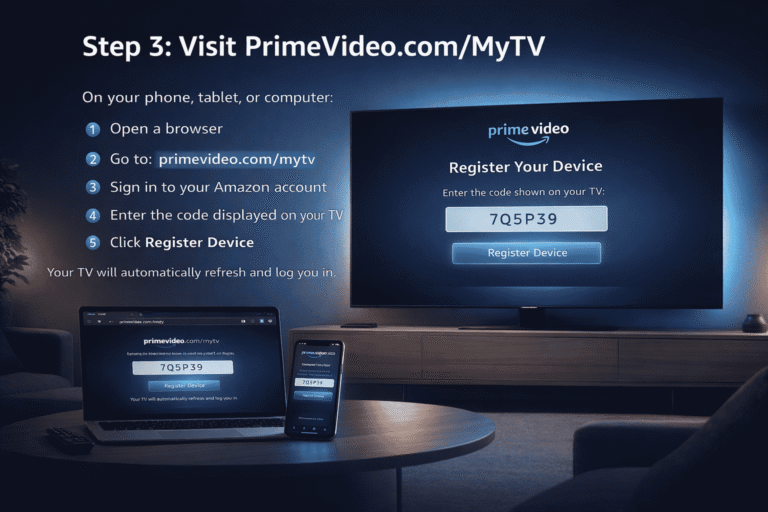
Step 2: Visit PrimeVideo.com/MyTV
On your phone or computer, open a browser
Go to primevideo.com/mytv
Sign in to your Amazon account
Enter the TV code
Click “Register Device”
Once verified, your TV will refresh automatically.
Step 4: Alternate Method: Login Directly on TV
Some TVs allow manual login:
Select “Sign In and Start Watching”
Enter your Amazon email and password
Choose “Sign In”
⚠️ This method is slower and more prone to typing errors. Use the code method if possible.
Step 5: Prime Video Login Not Working on TV? Fix It
If login fails, it’s usually for one of these reasons.
1. Prime Video Code Expired
Codes expire quickly.
Go back and generate a new code
Enter it within 1–2 minutes
Step 6:Wrong Amazon Account
Many users have multiple Amazon accounts.
Make sure the browser is logged into the same account with Prime Video access
Then enter the code
This mistake causes most login failures.
Step 7:Prime Video App Needs Update
Outdated apps break login.
Open your TV’s app store
Update Prime Video
Relaunch and select “Sign In”
Step 8:Prime Video Server Issues
If nothing works:
Wait 10–15 minutes
Try again later
Yes, Amazon servers do go down sometimes.
Step 9:Wrong Amazon Account
Many users have multiple Amazon accounts.
Make sure the browser is logged into the same account with Prime Video access
Then enter the code
This mistake causes most login failures.
Common Mistakes That Cause Prime Video Login Problems
Avoid these mistakes — they cause most failures:
Entering login details too many times
Using multiple Amazon accounts
Skipping app updates
Leaving VPN enabled
Using outdated TV software
Fixing these instantly improves success.
Final Summary: Fix Prime Video Login on TV the Smart Way
Prime Video login on TV problems are usually temporary
EnterTVCode.com is an independent help and guide website. We are not affiliated with YouTube, Amazon, Hulu, Netflix, FuboTV, or any other streaming or device brand.